

Mallary is in the official Claude Connector Directory.
Add to Claude
Open Mallary in Claude and add the connector.
Start in Three Steps
- Click Add to Claude above.
- Sign in to Mallary and allow the connection.
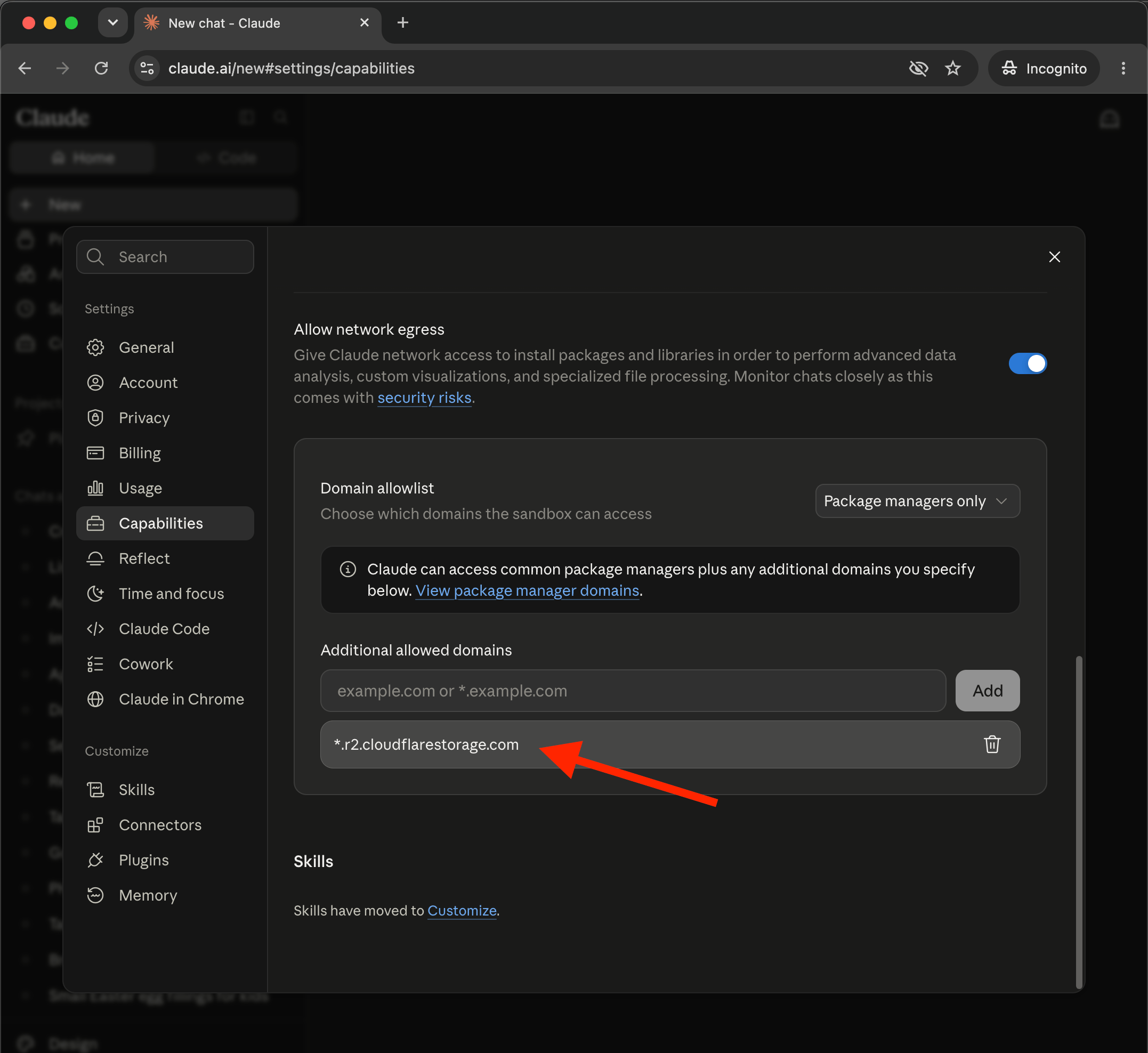
- Grant Claude network access to upload files to Mallary’s CDN
- Ask Claude to use Mallary for your social media work.
What You Can Do
- see your Mallary profiles and social accounts
- create or schedule posts
- write a different message for each platform
- check if a post went live
- read comments and send replies
- see likes, views, shares, and other results
- see follower and subscriber counts for your connected accounts
- work with your Mallary settings and webhooks
How Sign-In Works
Claude sends you to Mallary to sign in with OAuth. You approve the connection on the Mallary page. Claude does not see your Mallary password, API keys, social account tokens, or payment details.Before You Post
Adding the connector does not post anything. Claude uses Mallary when you ask it to. Before you ask Claude to post, check the profile, social sites, words, media, and time.Photos and Videos
If you upload photos and videos in the Claude user interface, and ask Claude to post them on your social media platforms, then you must grant Claude network access to upload files to Mallary’s CDN. Simply add*.r2.cloudflarestorage.com to your Additional allowed domains as shown below, then start a new chat session with Claude:
Claude Connector and Claude Code
The Claude connector is the quick way to use Mallary in Claude. The Claude Code plugin is a different setup. If you use Claude Code, connect Mallary only once. This keeps the same Mallary tools from showing up twice.Privacy and Support
Mallary sign-in and access
Learn how Mallary sign-in works and how to turn off access.